Tidy Ledger Co.
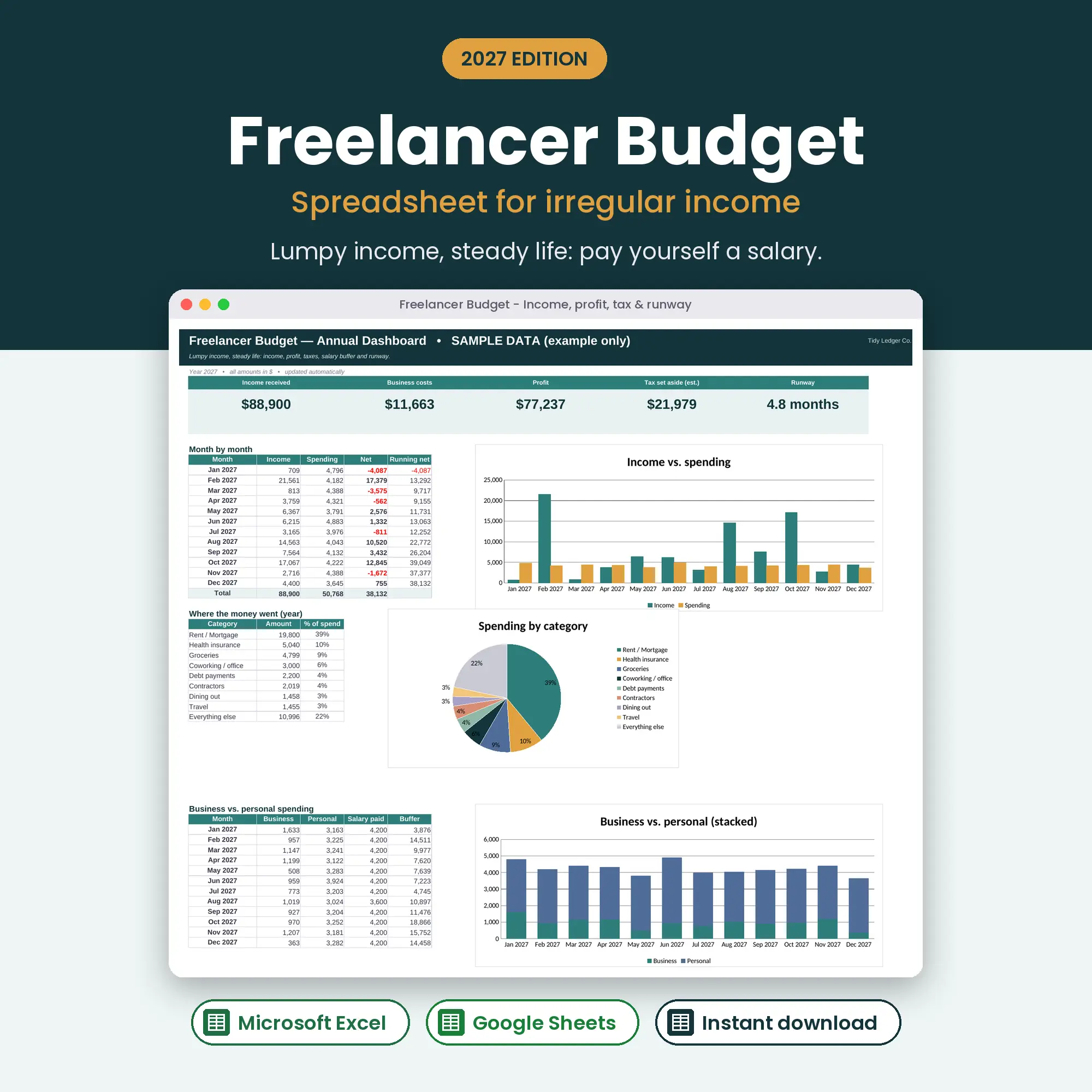
Freelancer Budget 2027 dashboard with income, profit and tax set-aside
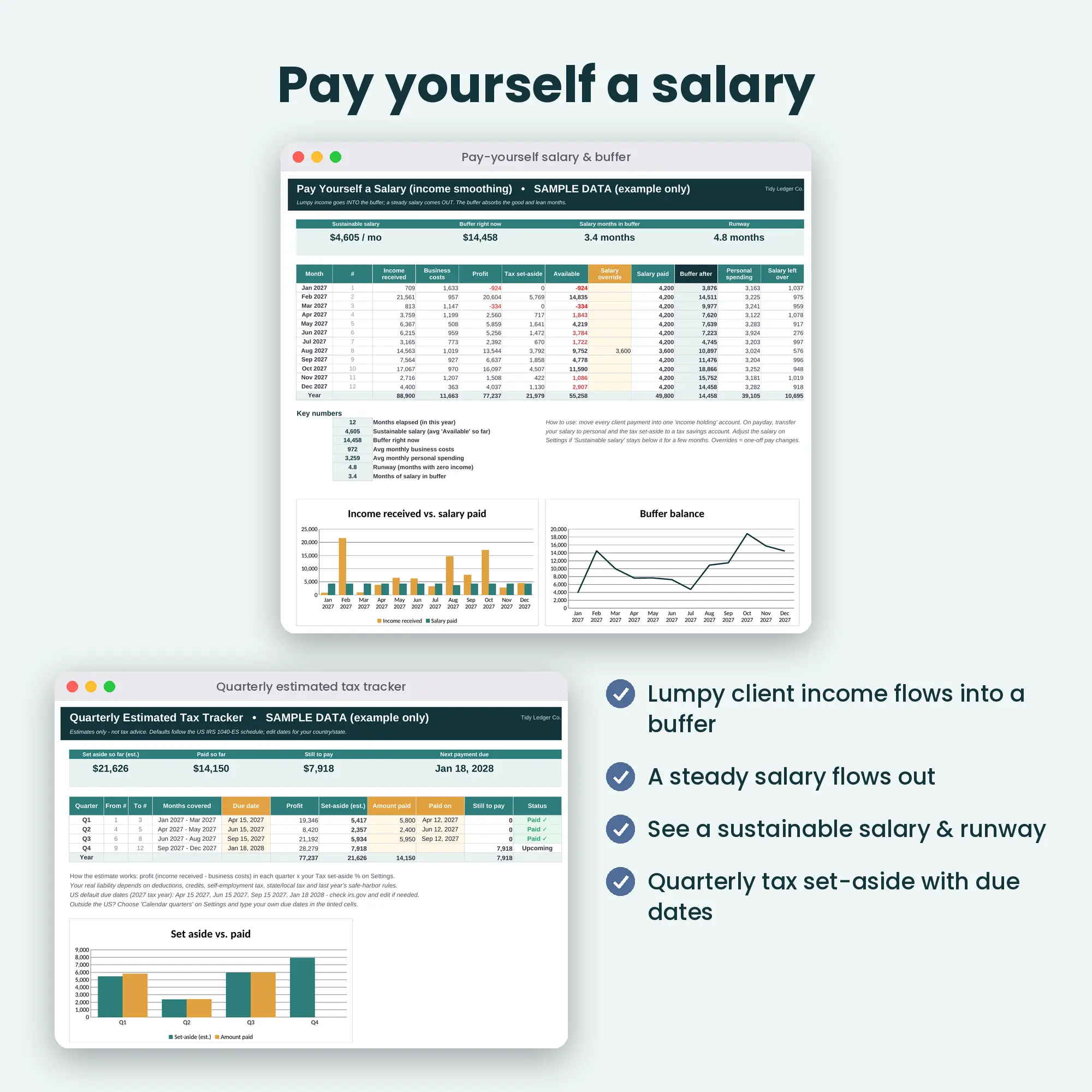
Pay Yourself tab smoothing irregular income into a steady salary from a buffer
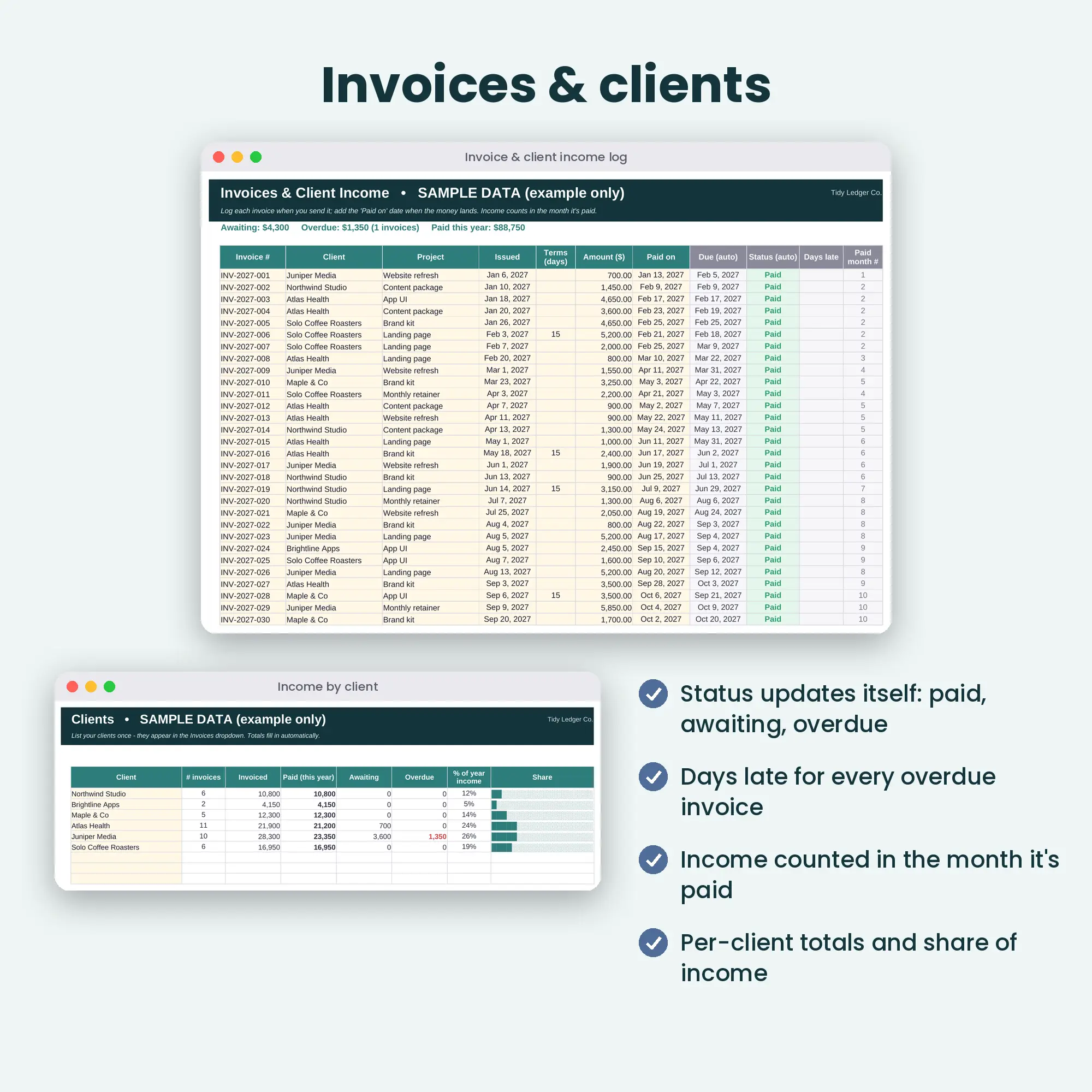
Invoices and Clients tabs with automatic Paid / Awaiting / Overdue status
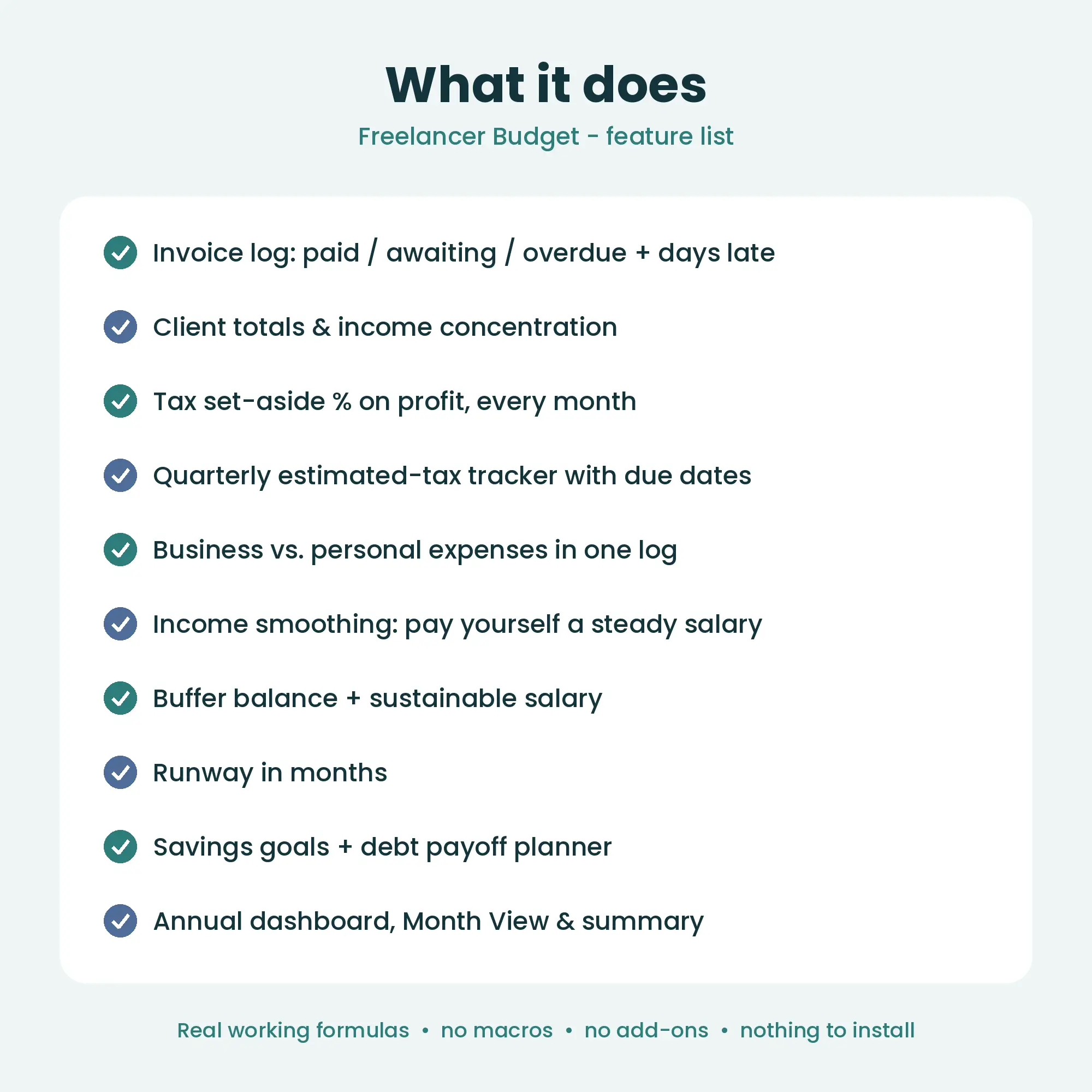
Feature list of the Freelancer Budget spreadsheet
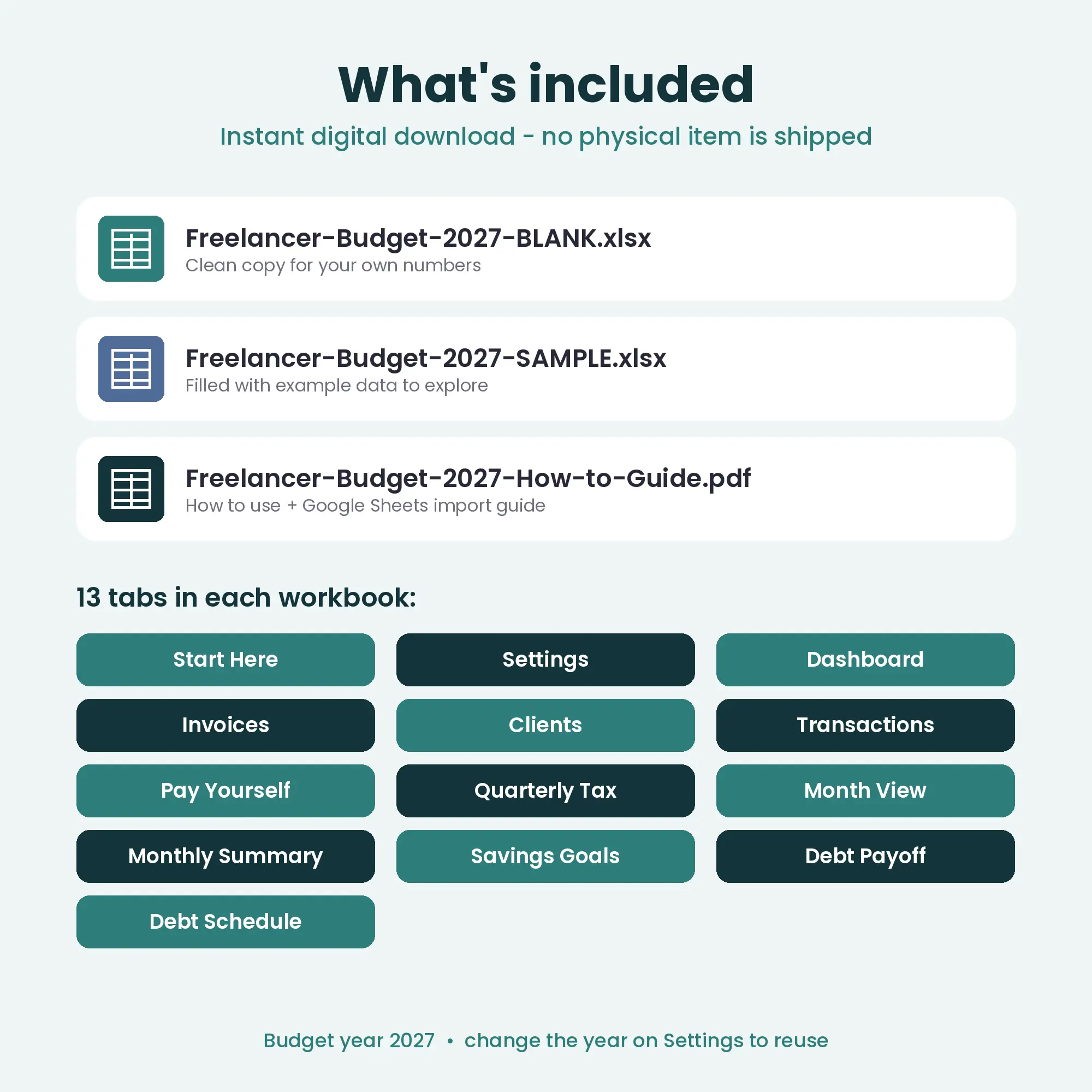
What is included: BLANK and SAMPLE workbooks, PDF guide and 13 tabs
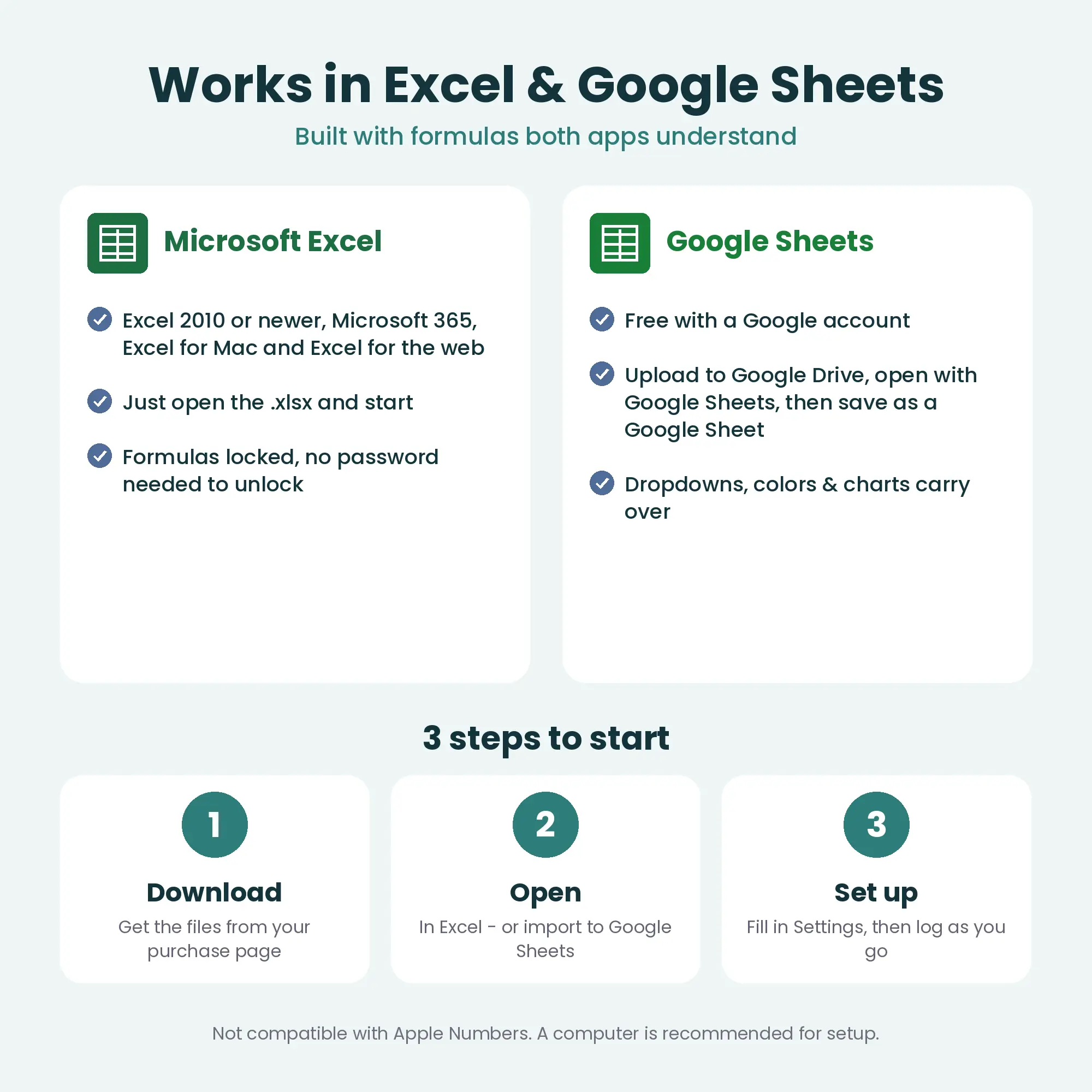
Works in Microsoft Excel and Google Sheets, three steps to start

2027 edition · Excel & Google Sheets

Freelancer Budget 2027

Lumpy income, steady life.

$9USD

  • ✓ Instant digital download
  • ✓ Excel 2010+ & Google Sheets
  • ✓ BLANK + SAMPLE files + PDF guide
  • ✓ Secure checkout, taxes handled

In short

The Freelancer Budget 2027 is an Excel and Google Sheets spreadsheet for self-employed people with irregular income. It logs invoices, sets aside a tax percentage from monthly profit, tracks quarterly estimated tax payments, and smooths lumpy client payments into a steady monthly salary with a runway figure.

Features

  • Invoice and client income log — status updates itself (Paid / Awaiting / Overdue) with days late
  • Client totals and share of income, so you can spot concentration risk
  • Business and personal expenses in one log — the category decides
  • Tax set-aside percentage applied to each month’s profit
  • Quarterly estimated-tax tracker with due dates and status (US IRS schedule by default; switch to calendar quarters for other countries)
  • “Pay yourself a salary” income smoothing: buffer balance, sustainable salary, overrides
  • Runway in months (buffer + emergency savings ÷ average spending)
  • Savings goals and a snowball / avalanche debt payoff planner
  • Annual dashboard, Month View (budget vs. actual) and 12-month summary
  • Editable categories, any currency symbol, custom month start day

Who it’s for

  • Freelancers, contractors and creators with irregular client payments
  • US 1099 workers who pay quarterly estimated tax
  • Side-hustlers who want business and personal money in one view

13 tabs in the workbook

  • Start Here
  • Settings
  • Dashboard
  • Invoices
  • Clients
  • Transactions
  • Pay Yourself
  • Quarterly Tax
  • Month View
  • Monthly Summary
  • Savings Goals
  • Debt Payoff
  • Debt Schedule

How it works

  1. 1

    Check out

    Pay securely. Your download link appears instantly and is emailed to you.

  2. 2

    Open

    Open the .xlsx in Excel, or upload to Google Drive and open with Google Sheets.

  3. 3

    Set up

    Fill in Settings (currency, budgets, names) and start logging.

Please note

  • Tax figures are planning estimates, not tax advice. Rules differ by country and state.
  • Budget year 2027 — reusable for any year.
  • Personal use licence. Please do not resell or share the files.
  • See our refund policy and license.

Frequently asked questions

Does it calculate my exact tax bill?

No. You choose a set-aside percentage and the sheet applies it to monthly profit, then tracks the quarterly payments you plan and make. It is a cash-planning tool, not tax software.

I am not in the US. Is it still useful?

Yes. Switch the quarterly tracker to calendar quarters and edit the due dates to match your country. Everything else (invoices, salary smoothing, runway) is country-neutral.

Is this a physical product?

No. It is an instant digital download: you receive the .xlsx files and a PDF guide right after checkout. Nothing is shipped.

Do I need Microsoft Excel?

No. Google Sheets is free and works in any browser. The included PDF shows how to import the file into Google Sheets in about two minutes.

Does it work on a Mac?

Yes — in Excel for Mac or in Google Sheets in any browser. Apple Numbers is not supported because it does not handle all the formulas and formatting.

Can I reuse it next year?

Yes. Start from a fresh copy of the BLANK file and change the Budget year on the Settings tab. All dates and months update.

Which currencies are supported?

Any. You type your own currency symbol on the Settings tab (for example $, €, £, ¥ or A$) and every money cell uses it.

Can I break the formulas by accident?

It is hard to. Formula cells are locked (sheet protection with no password) and the cells you are meant to type in are highlighted. If you need to customise more, you can unprotect a sheet in one click.

Is this financial or tax advice?

No. These are planning tools. Any tax figures are estimates; please confirm your own situation with a qualified professional.

Freelancer Budget 2027

Irregular income, quarterly tax & pay-yourself salary

Buy now — $9 USD: Freelancer Budget 2027

You might also like