Couples Budget 2027
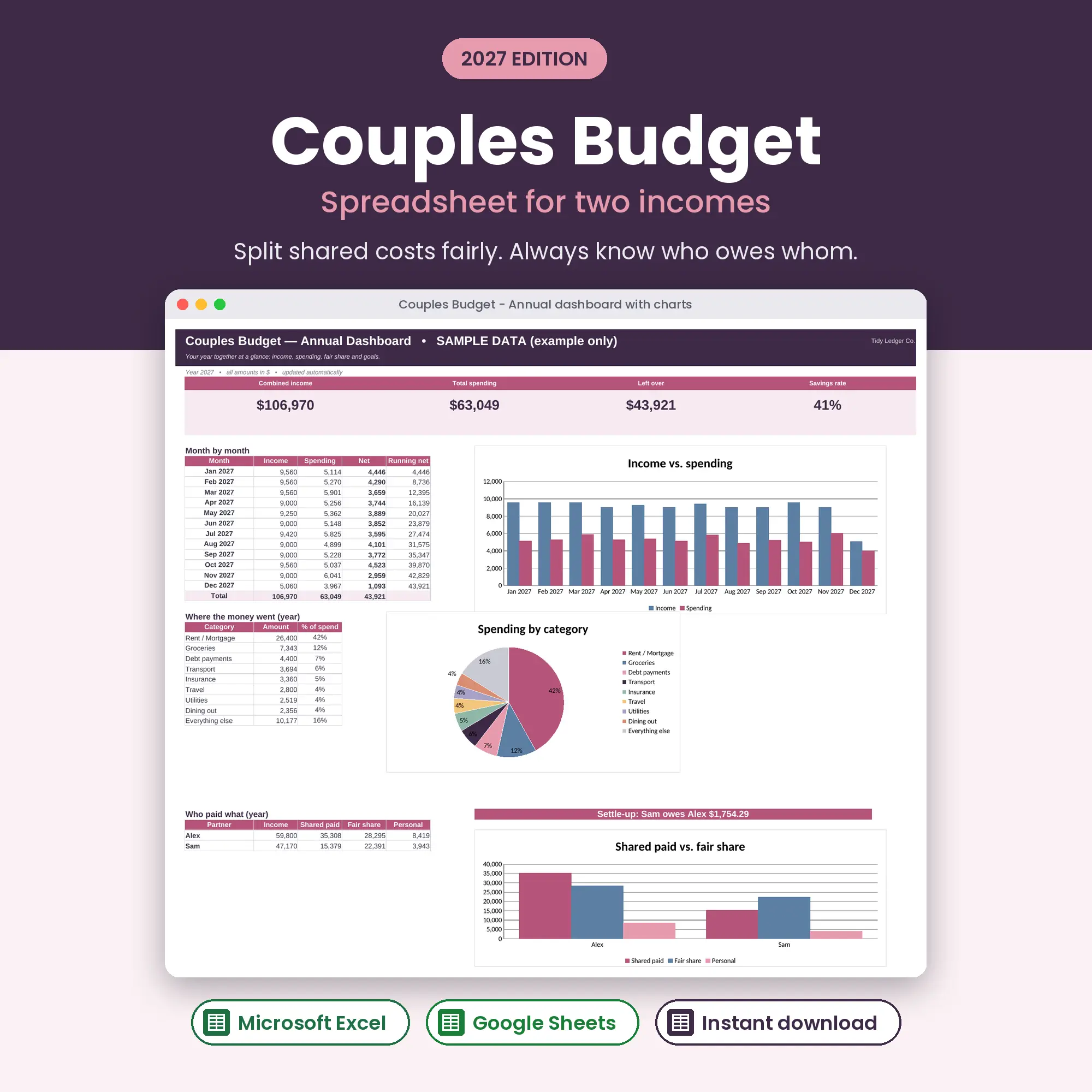
Fair-share split & who-owes-whom settle-up
2027 edition · Excel & Google Sheets
A budget for brains that hate budgets.
$7USD
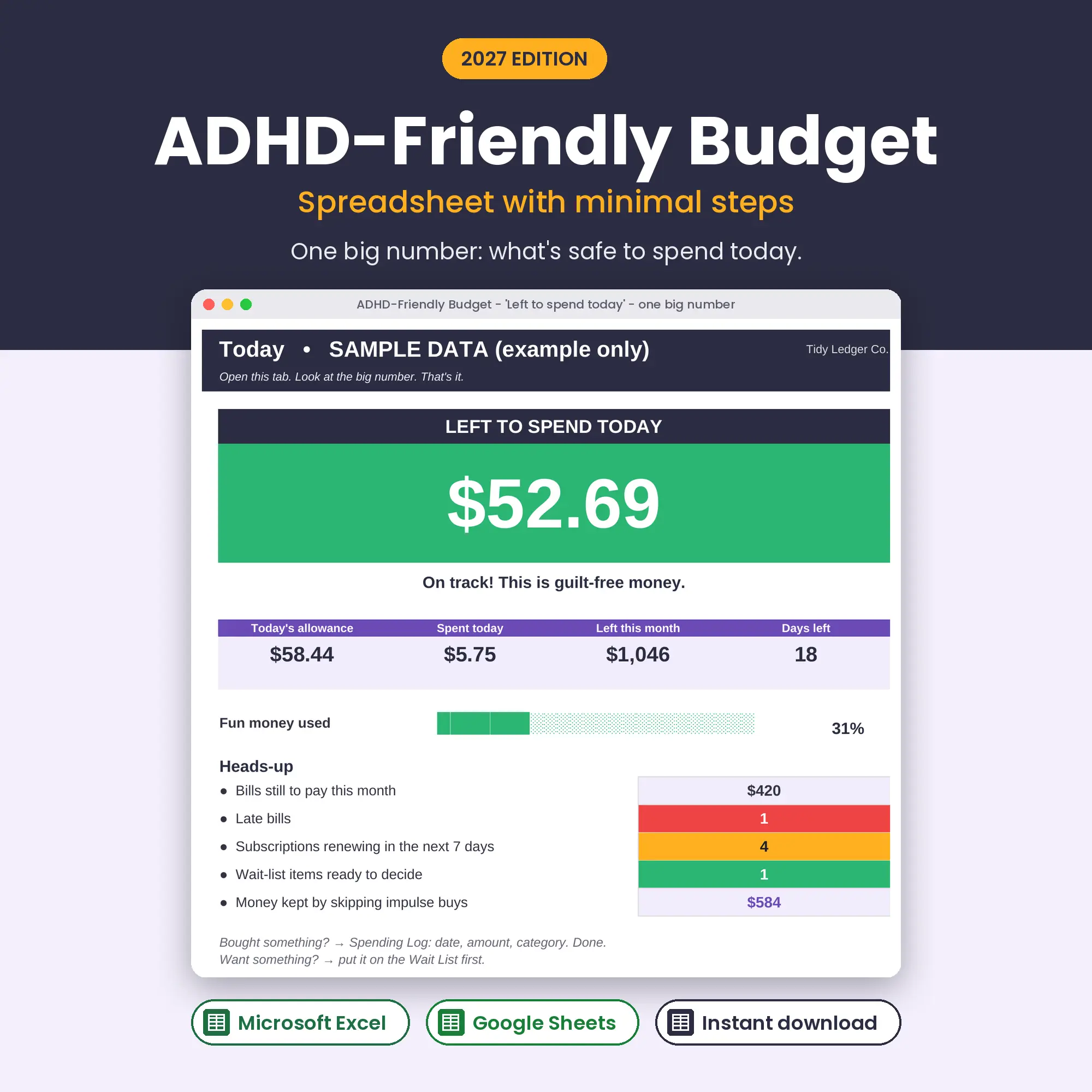
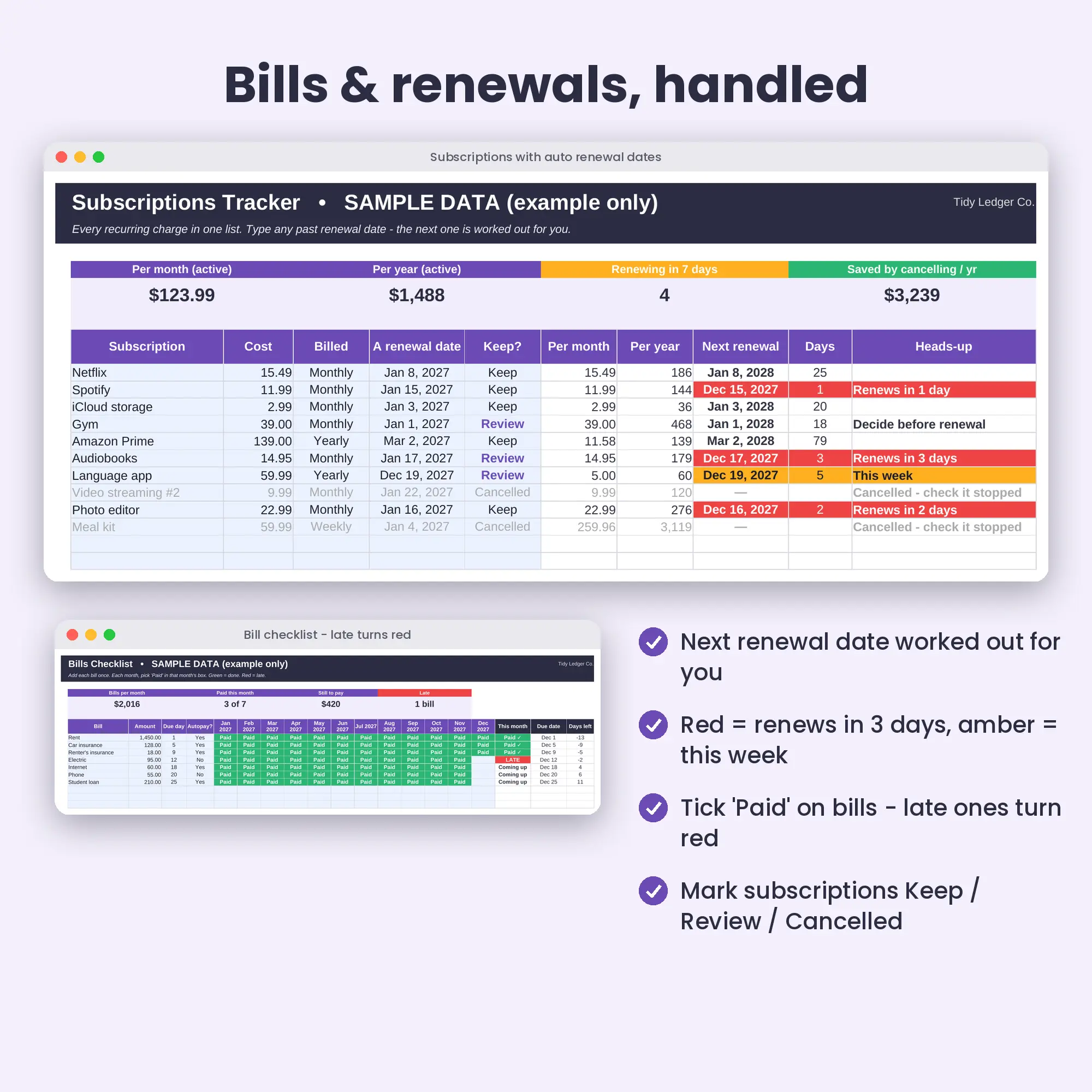
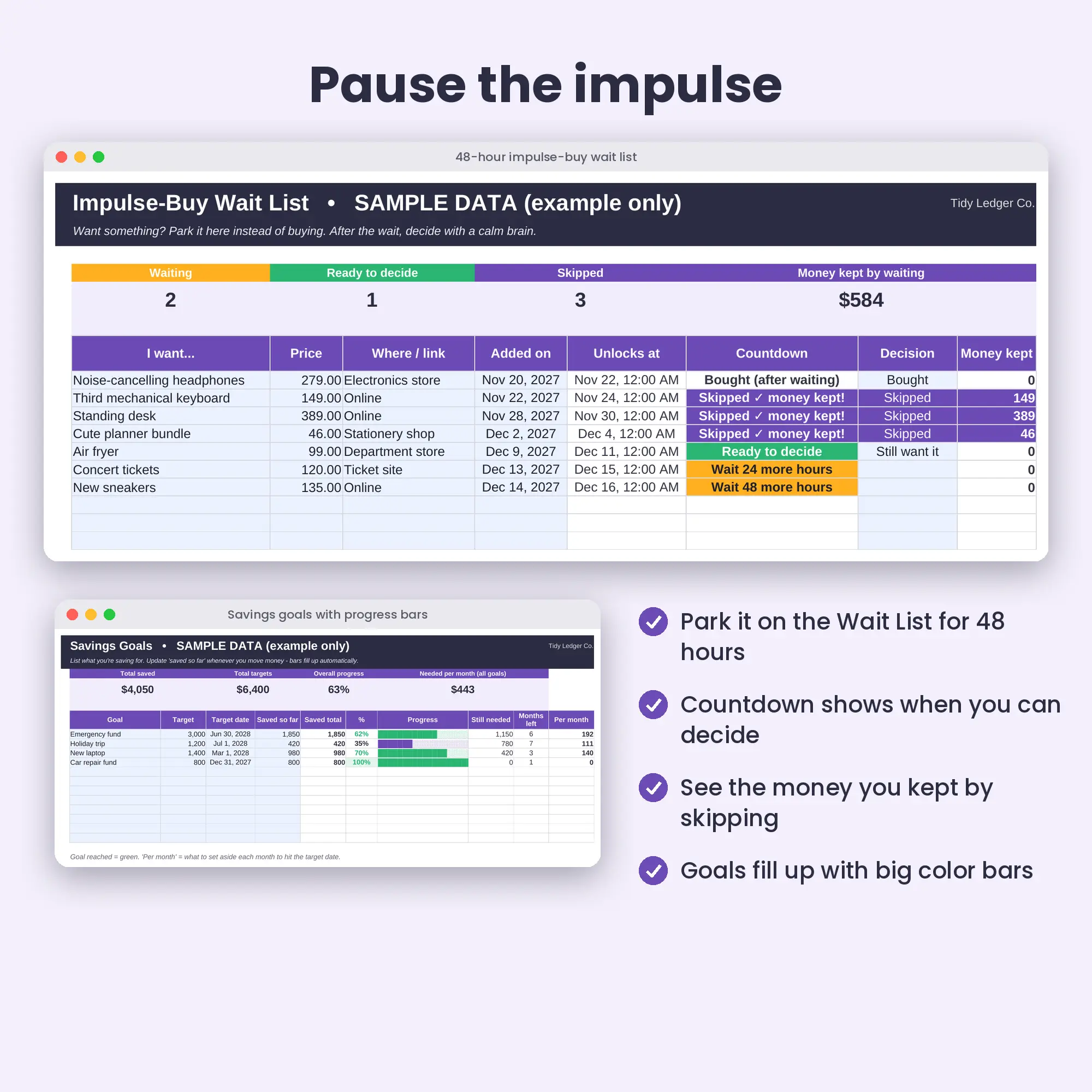
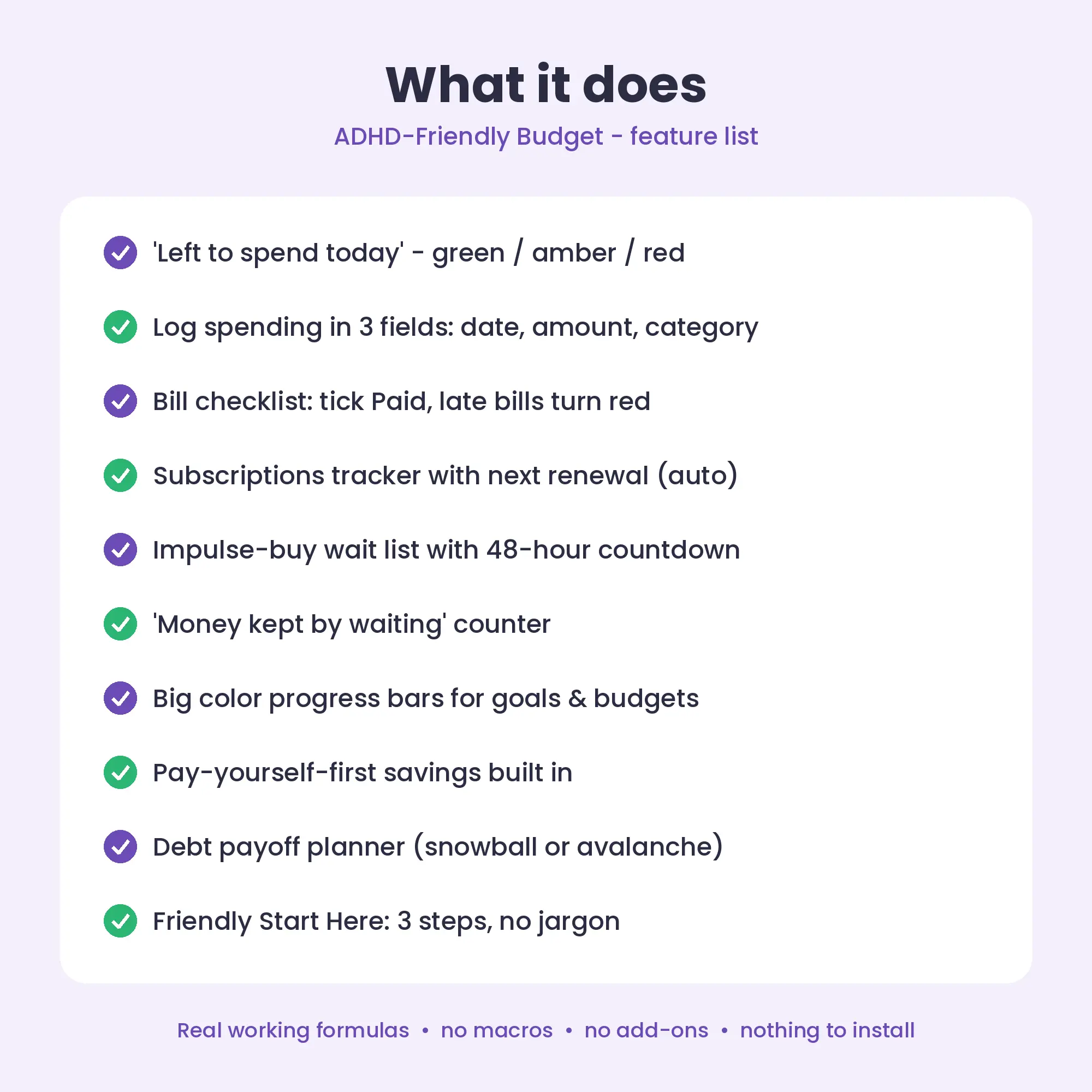
The ADHD-Friendly Budget 2027 is a low-effort Excel and Google Sheets spreadsheet built around one colour-coded number: how much you can spend today and still be fine this month. Purchases take three fields, bills are a checklist, subscriptions warn you before renewal, and impulse buys wait 48 hours.
1
Check out
Pay securely. Your download link appears instantly and is emailed to you.
2
Open
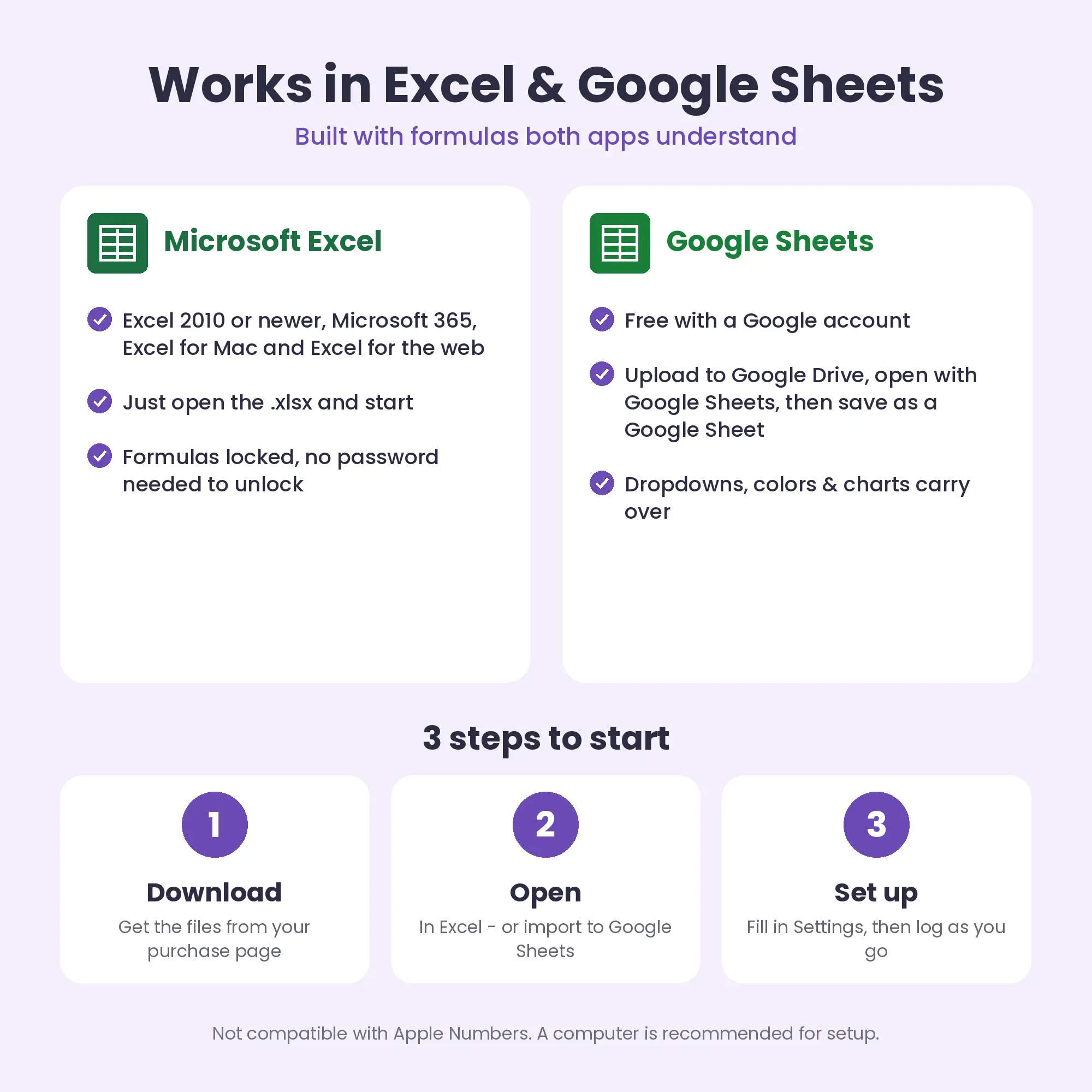
Open the .xlsx in Excel, or upload to Google Drive and open with Google Sheets.
3
Set up
Fill in Settings (currency, budgets, names) and start logging.
It starts from this month’s take-home pay, subtracts bills, active subscriptions and your save-first amount, then subtracts what you spent before today and divides the rest by the days left (including today). Whatever you spend today comes off that allowance. The Today tab shows every step so there is no mystery.
No. It suits anyone who wants a budget that asks for very little effort. “ADHD-friendly” describes the design choices: one number, few inputs, strong colour cues.
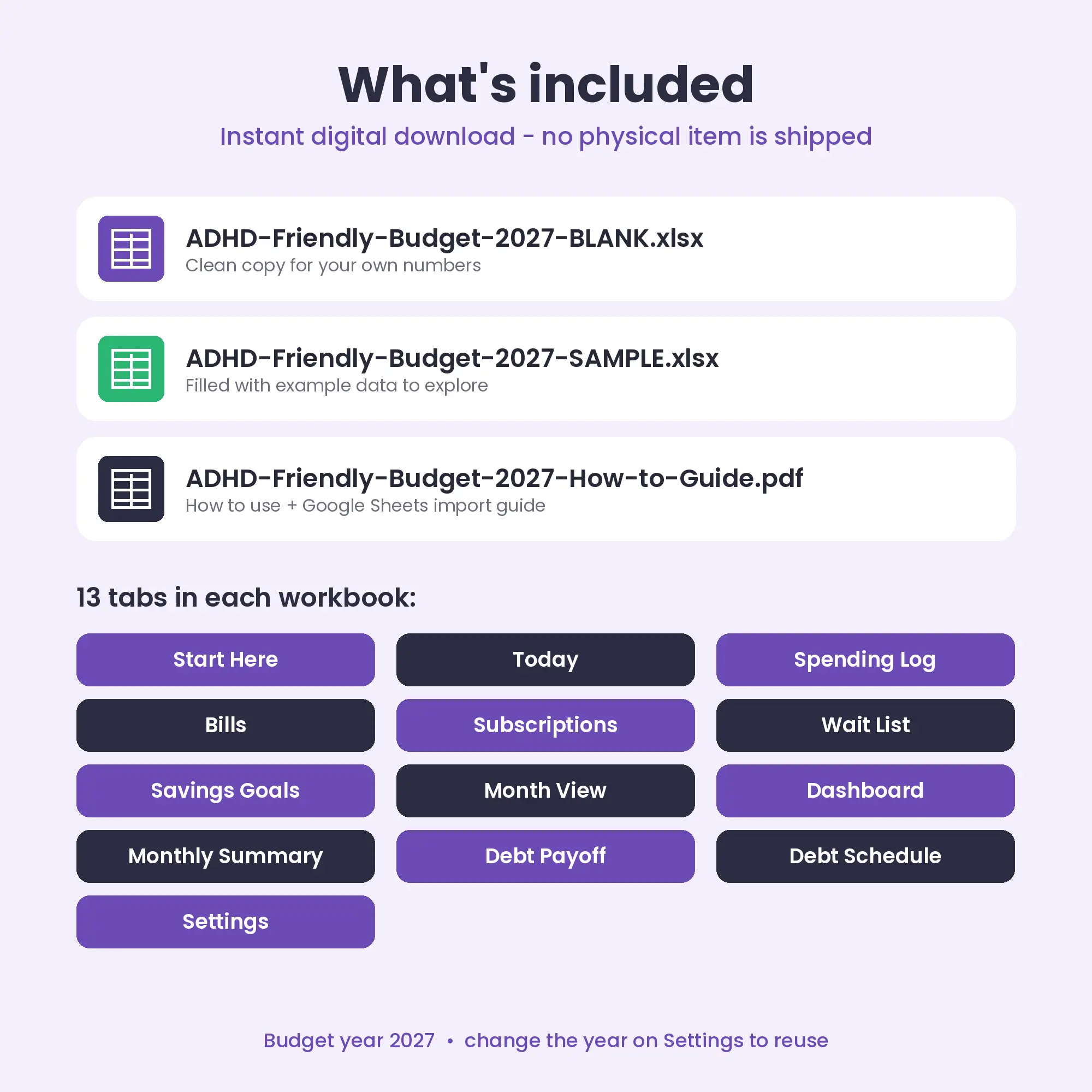
No. It is an instant digital download: you receive the .xlsx files and a PDF guide right after checkout. Nothing is shipped.
No. Google Sheets is free and works in any browser. The included PDF shows how to import the file into Google Sheets in about two minutes.
Yes — in Excel for Mac or in Google Sheets in any browser. Apple Numbers is not supported because it does not handle all the formulas and formatting.
Yes. Start from a fresh copy of the BLANK file and change the Budget year on the Settings tab. All dates and months update.
Any. You type your own currency symbol on the Settings tab (for example $, €, £, ¥ or A$) and every money cell uses it.
It is hard to. Formula cells are locked (sheet protection with no password) and the cells you are meant to type in are highlighted. If you need to customise more, you can unprotect a sheet in one click.
No. These are planning tools. Any tax figures are estimates; please confirm your own situation with a qualified professional.
ADHD-Friendly Budget 2027
One big number: safe to spend today
Buy now — $7 USD: ADHD-Friendly Budget 2027Fair-share split & who-owes-whom settle-up
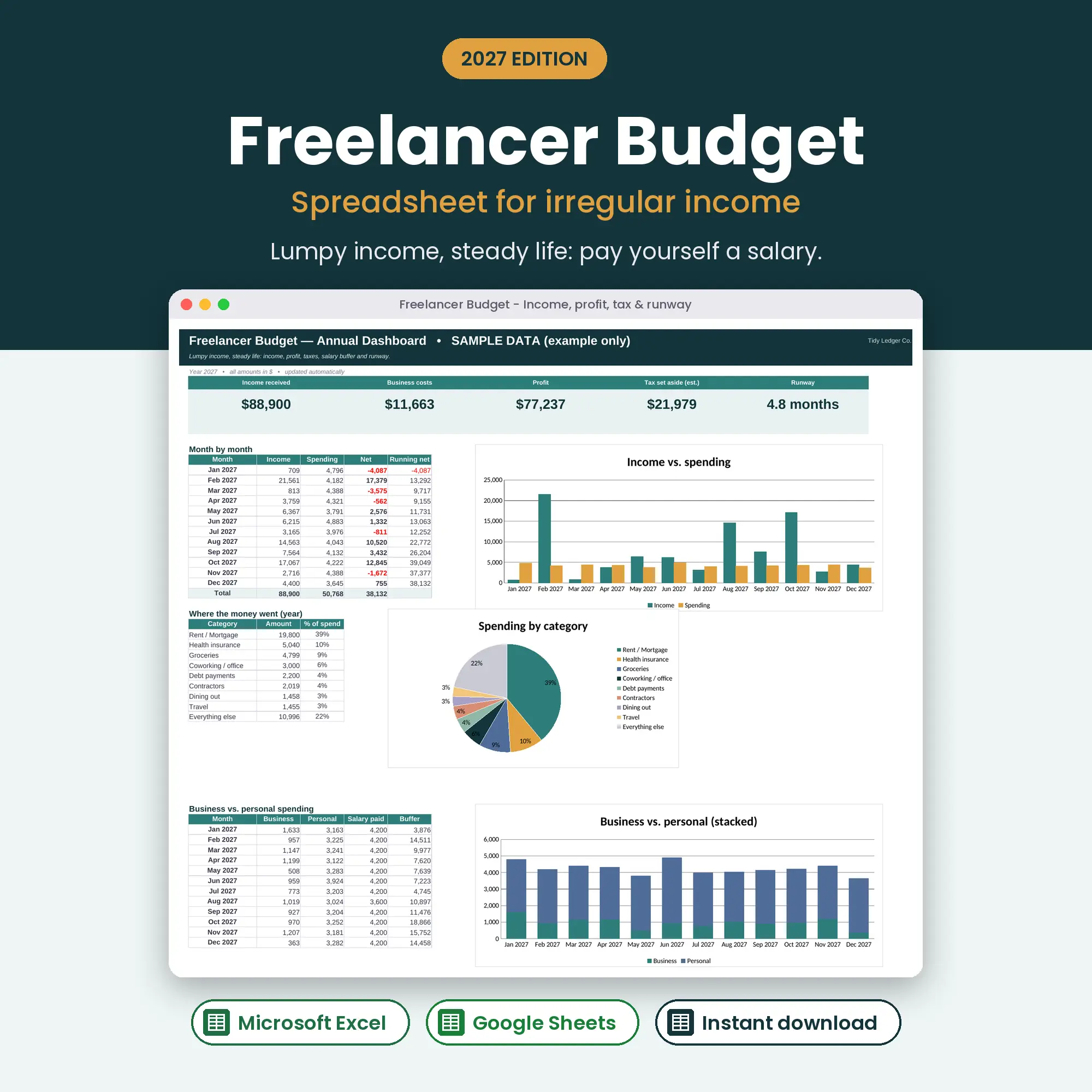
Irregular income, quarterly tax & pay-yourself salary
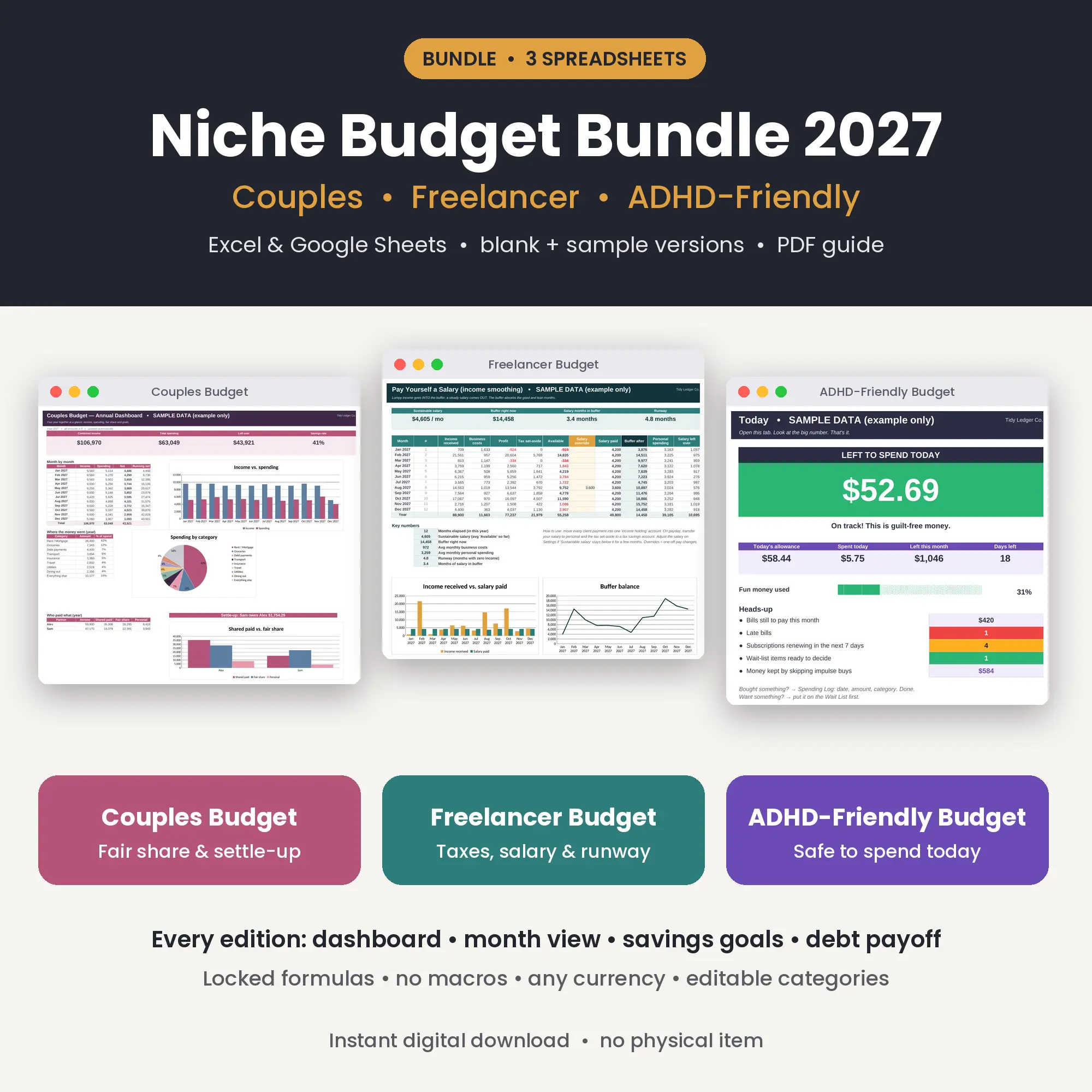
All three spreadsheets: Couples, Freelancer & ADHD-Friendly